Championships let you track points for drivers/classes/teams across multiple events! Here we'll go through some of the basics of using them.
When you install Server Manager for the first time it comes with an example championship already set up, feel free to have a look and a mess with it to figure the system out. You'll probably find championships easiest to learn by experimenting with them yourself, but this page is also a good resource of information.
¶ Create a new Championship
Lets go through creating a new Championship, a lot of the options are self-explanatory but we'll go through any that we feel warrant a little explanation or extra detail.
¶ Details
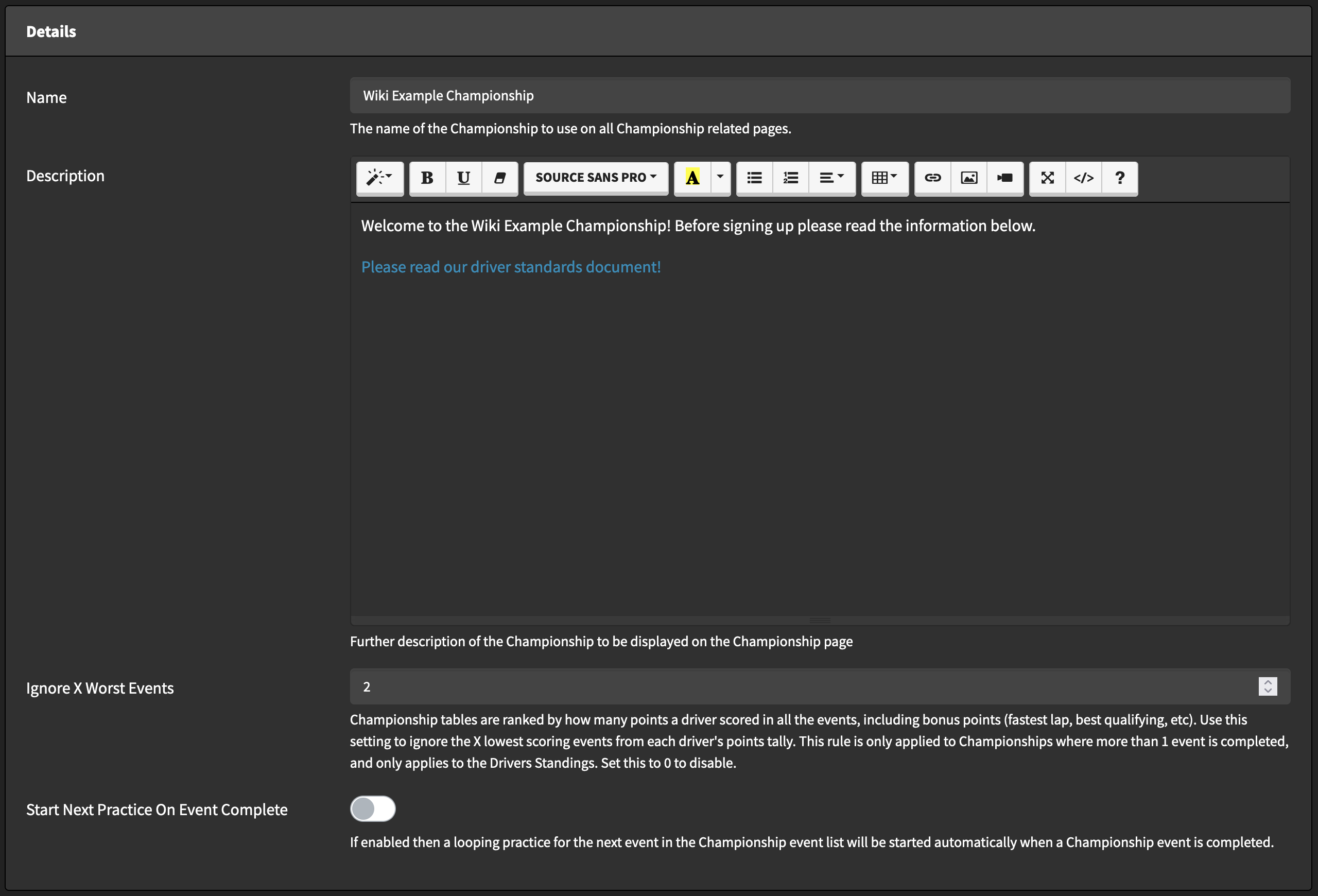
¶ Description
You can use this markdown input for anything you want - links to cars/tracks/required mods, information about race formats/rules etc.
This information will be shown on the Championship page to any user that accesses it.
¶ Ignore X Worst Events
Championship tables are ranked by how many points a driver scored in all the events, including bonus points (fastest lap, best qualifying, etc). Use this setting to ignore the X lowest scoring events from each driver's points tally. This rule is only applied to Championships where 1 event or more than the selected number of ignored rounds has been completed, and applies to both Drivers Standings and Team Standings.
¶ Points
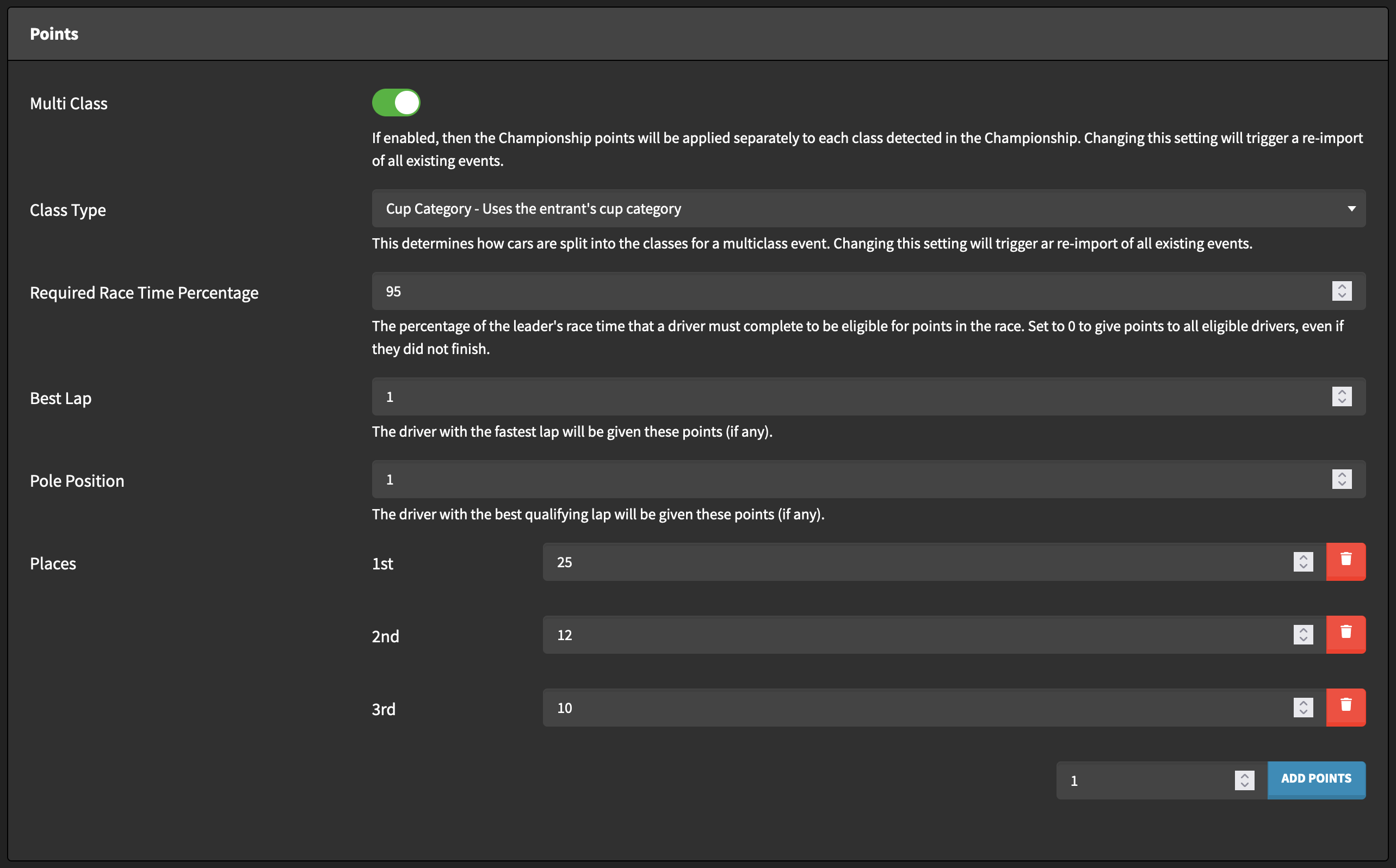
¶ Multi Class/Class Type
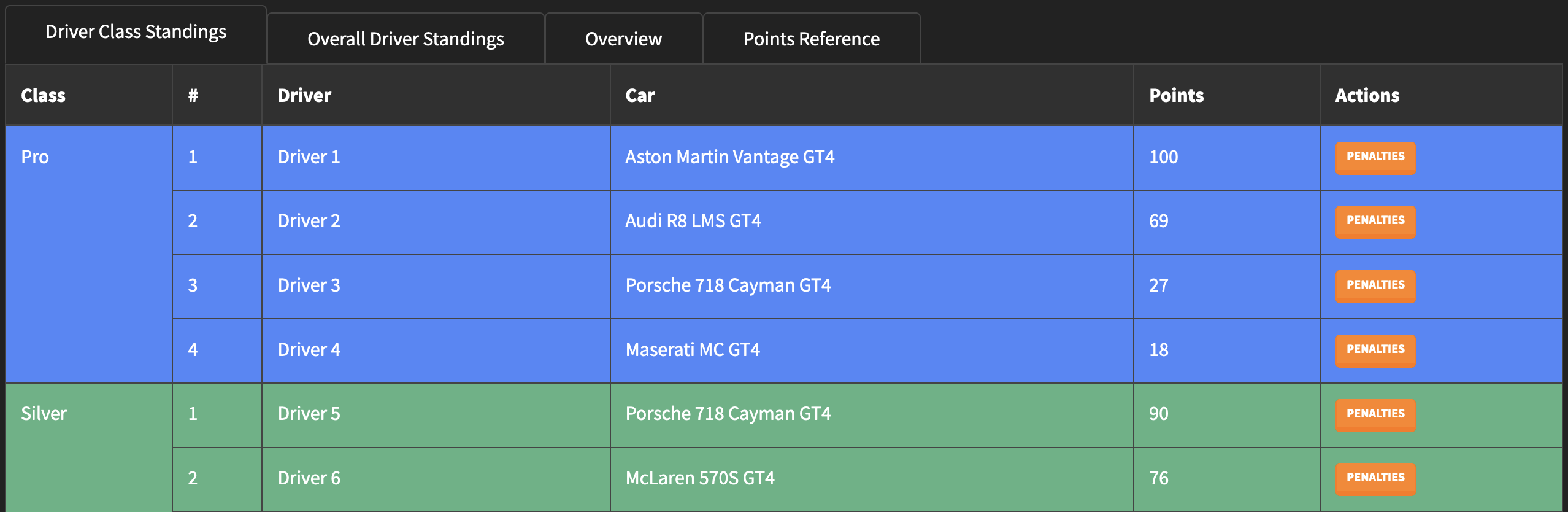
If Multi Class is enabled then drivers and teams will be separated by the selected Class Type in the Championship Standings and Overview tables, as well as in individual session results.
¶ Required Race Time Percentage
The percentage of the leader's race time that a driver must complete to be eligible for points in the race. Set to 0 to give points to all eligible drivers, even if they did not finish. Please note that this option specifically applies to race time, not the number of laps completed.
¶ General Points
Points can be given to drivers for their finishing position in a race session and for having the best lap and/or pole position. You can use the "Add Points" button to add more points for places.
¶ Entry Lists
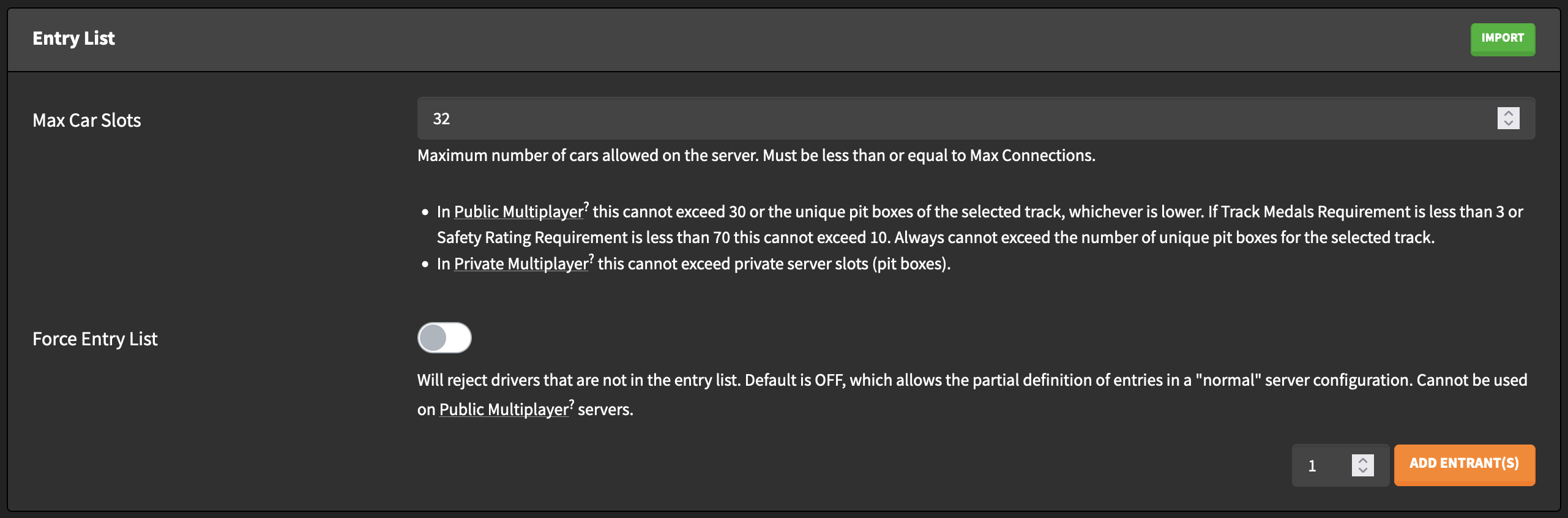
Entry Lists can be created directly in a Championship, or imported from the list of Entry Lists already present on your server (including imported Entry Lists). For more information on Entry Lists please check out the dedicated Wiki page for them.
¶ Sign Up Form
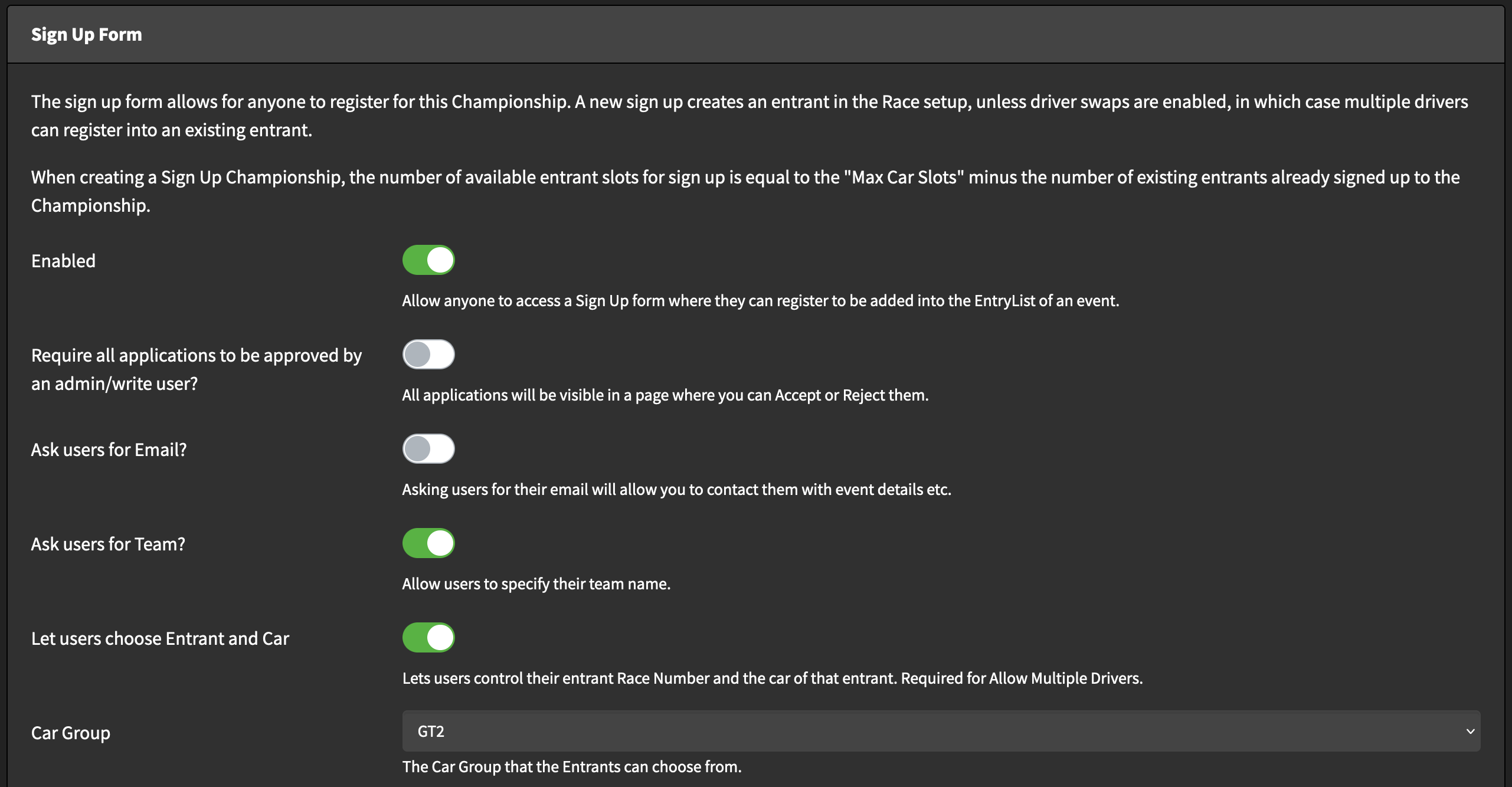
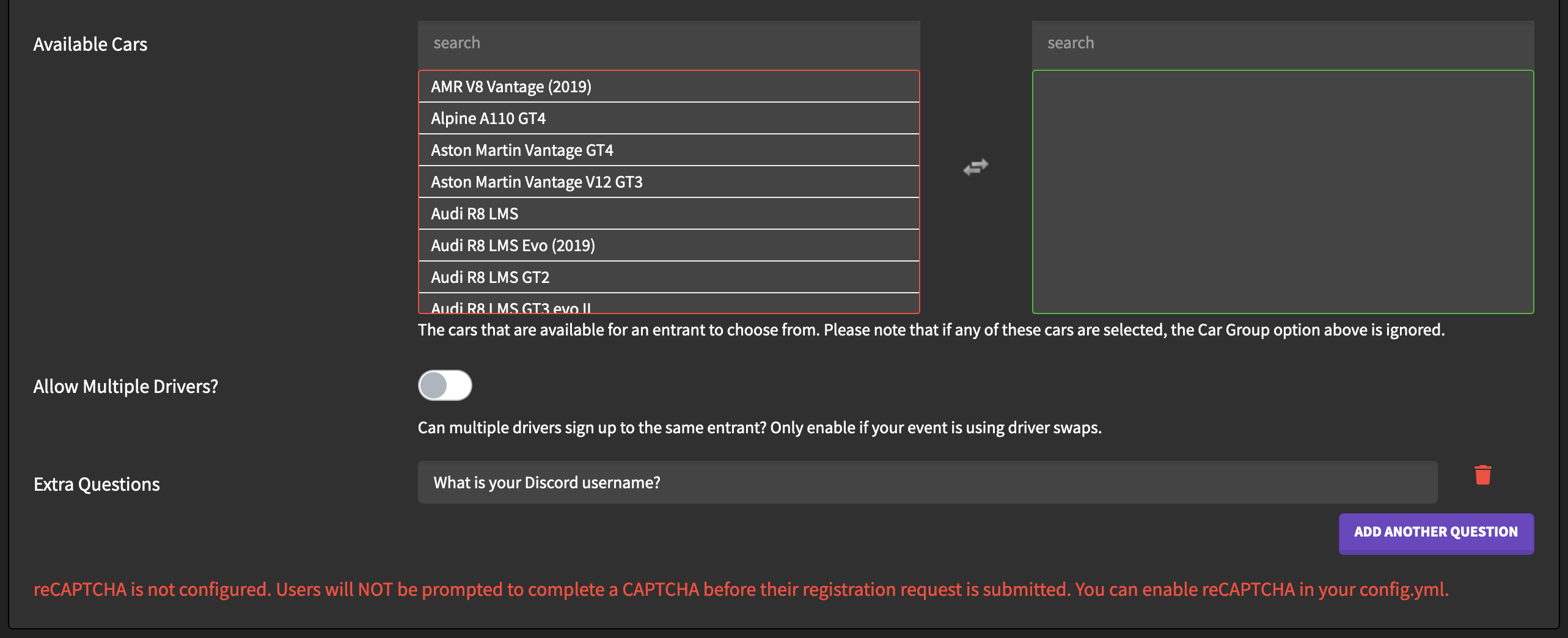
Sign Up Forms can be used to allow anyone to register for a Championship via a form, which can be accessed from the main Championship page after completion. Sign Up forms have a few configuration options, as shown in the screenshot below.
And that's the final section. Now the Championship is created and you will automatically be redirected to create the first event for the Championship. The event form is the same as a normal Preset form, complete it using the settings you would like and then click "Save" to be taken to the Championship page.
¶ Existing Championship Management
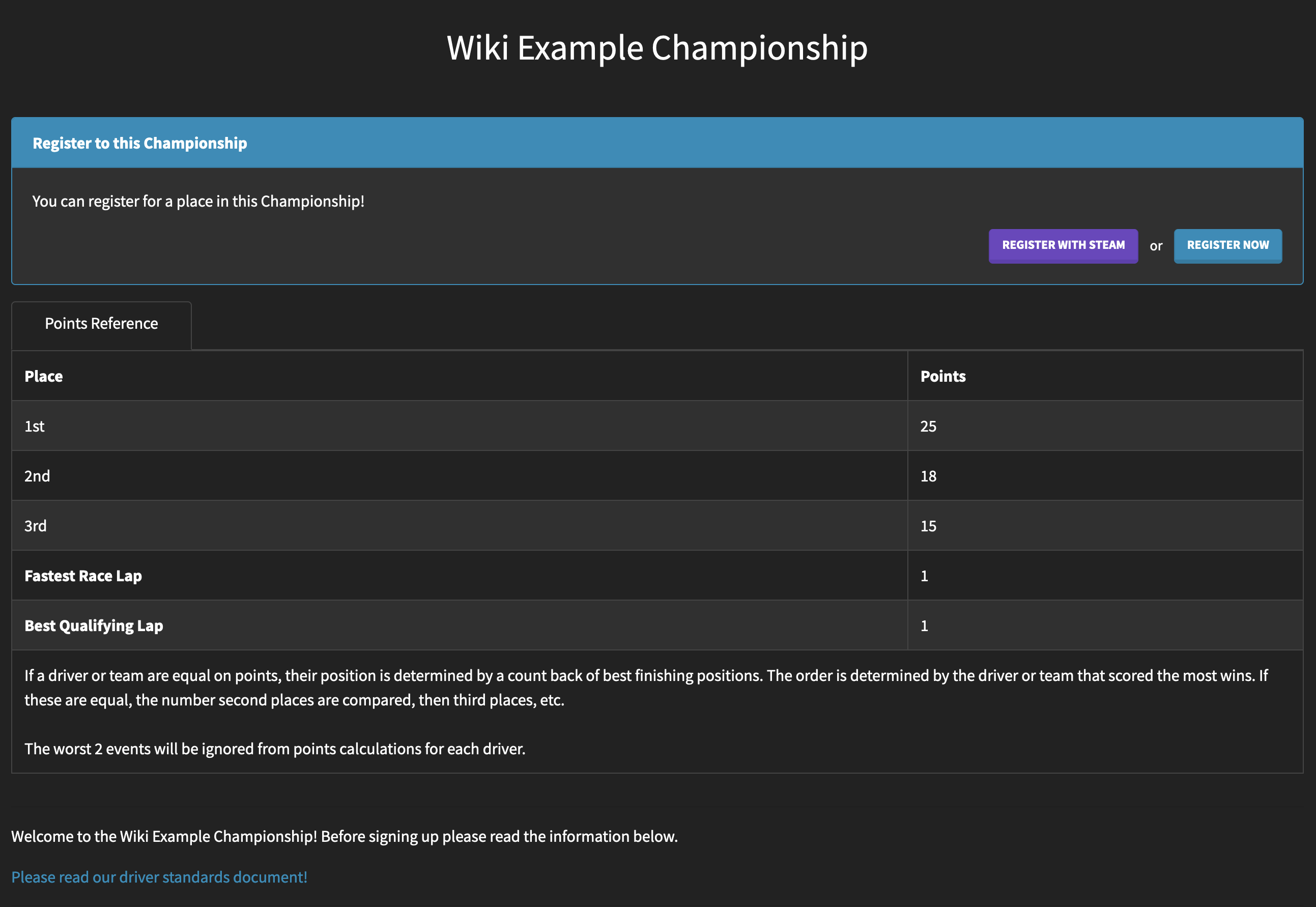
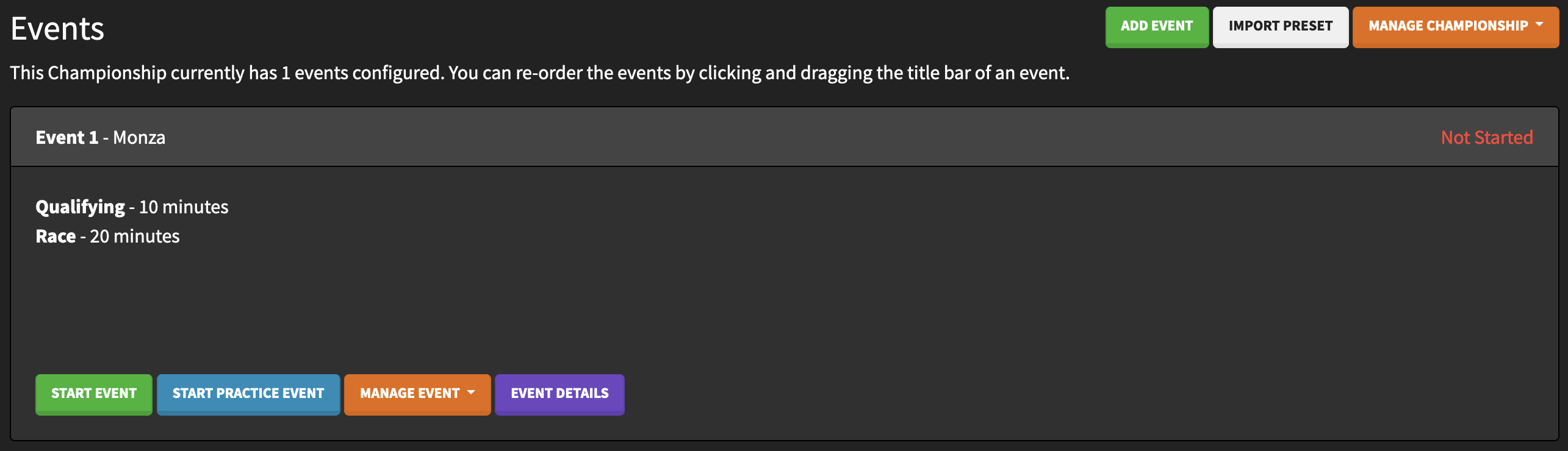
Now we can see the main page of our created Championship, with the name, sign up form, points reference and description that we created, followed by the events. This table section will also show the Championship standings after the first event has been completed.
¶ Registrations
If the Sign Up Form is enabled users can use one of the two register buttons to register to the Championship, if they choose to register with Steam their GUID will be automatically entered into the form.
The form first shows the Championship description, and then the following options. Please note that some other options may be available depending on the settings you have opted for in the Championship Sign Up Form settings.
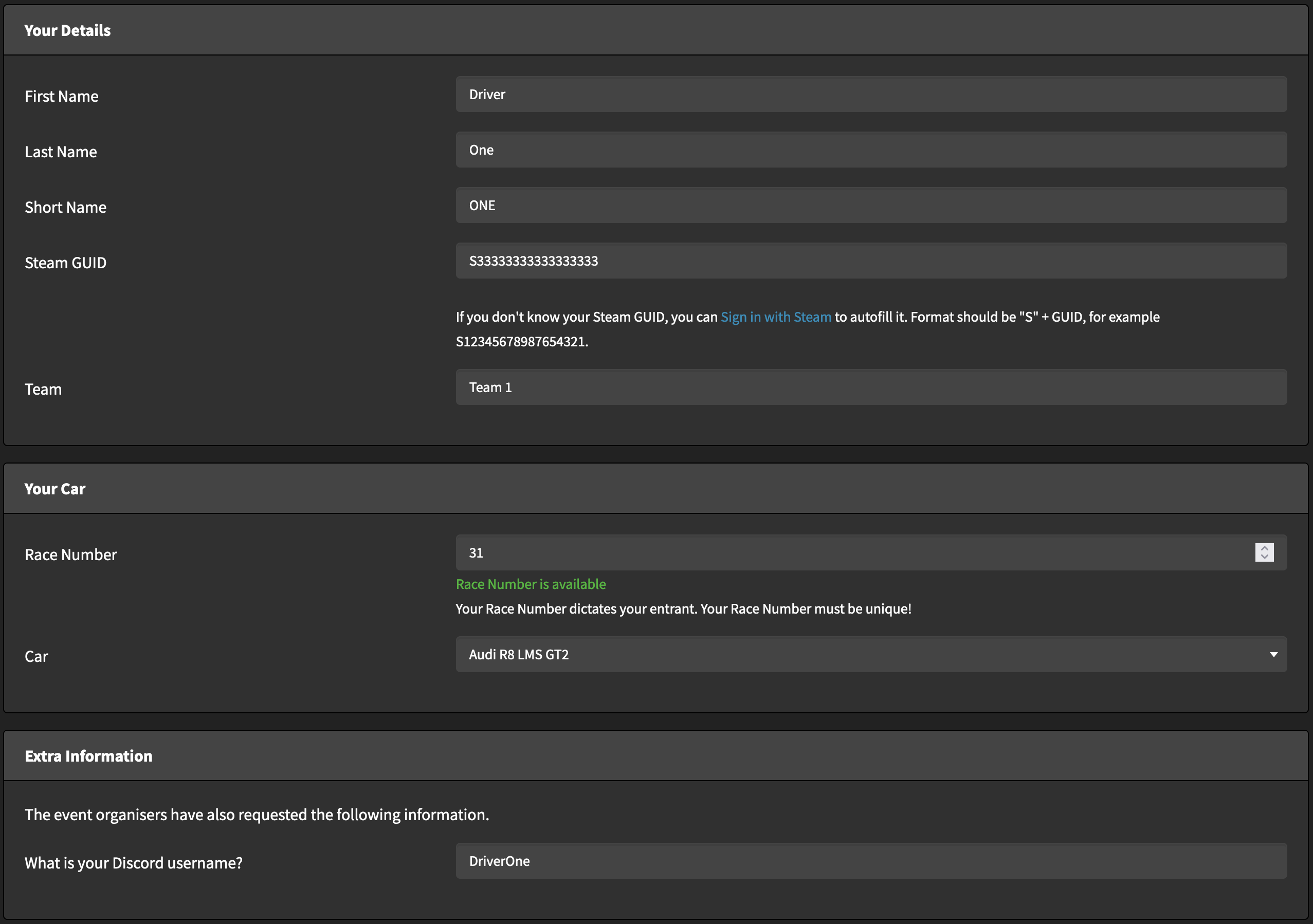
After registering drivers will be added to the Championship Entry List, unless they first need to be approved by an admin. In that case admins can access the Manage Championship -> Manage Registration Requests page to approve or reject the registration.
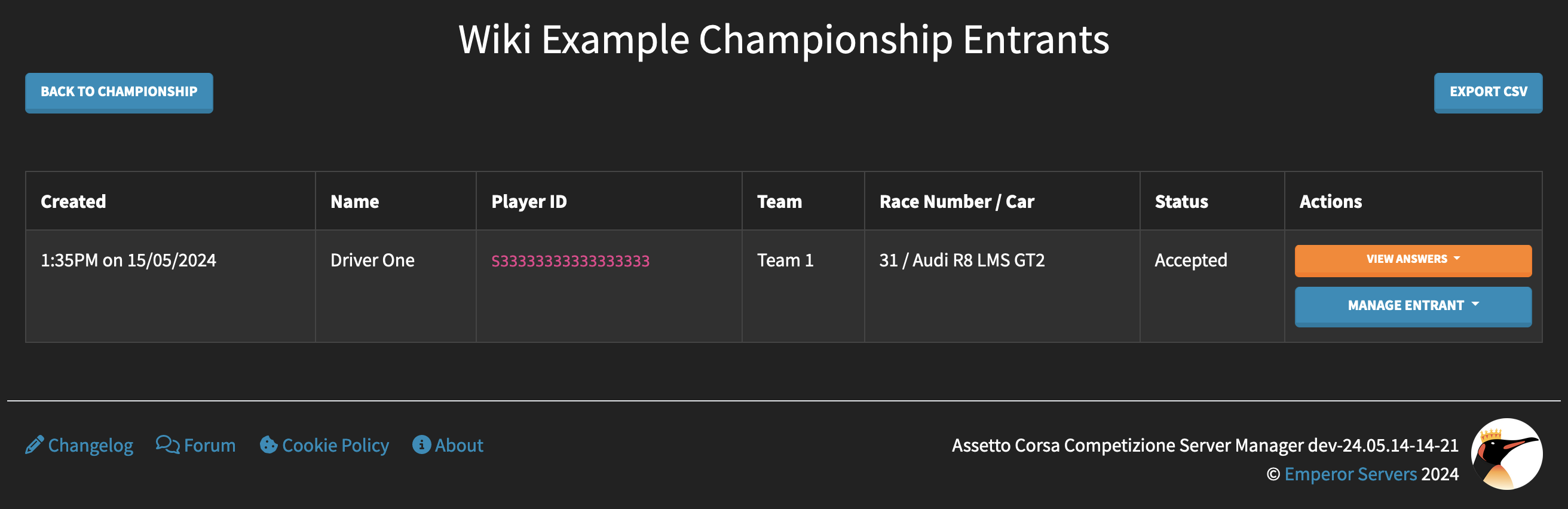
Admins can access this page and use it to accept or reject entrants at any time, even if admin approval is not required.
¶ Standings
The Championship Standings tab shows the current overall standings of the Championship, split by Class if Multi Class is enabled. From this table you can assign points penalties to the drivers, including negative points penalties to give them extra points if required.
¶ Overview
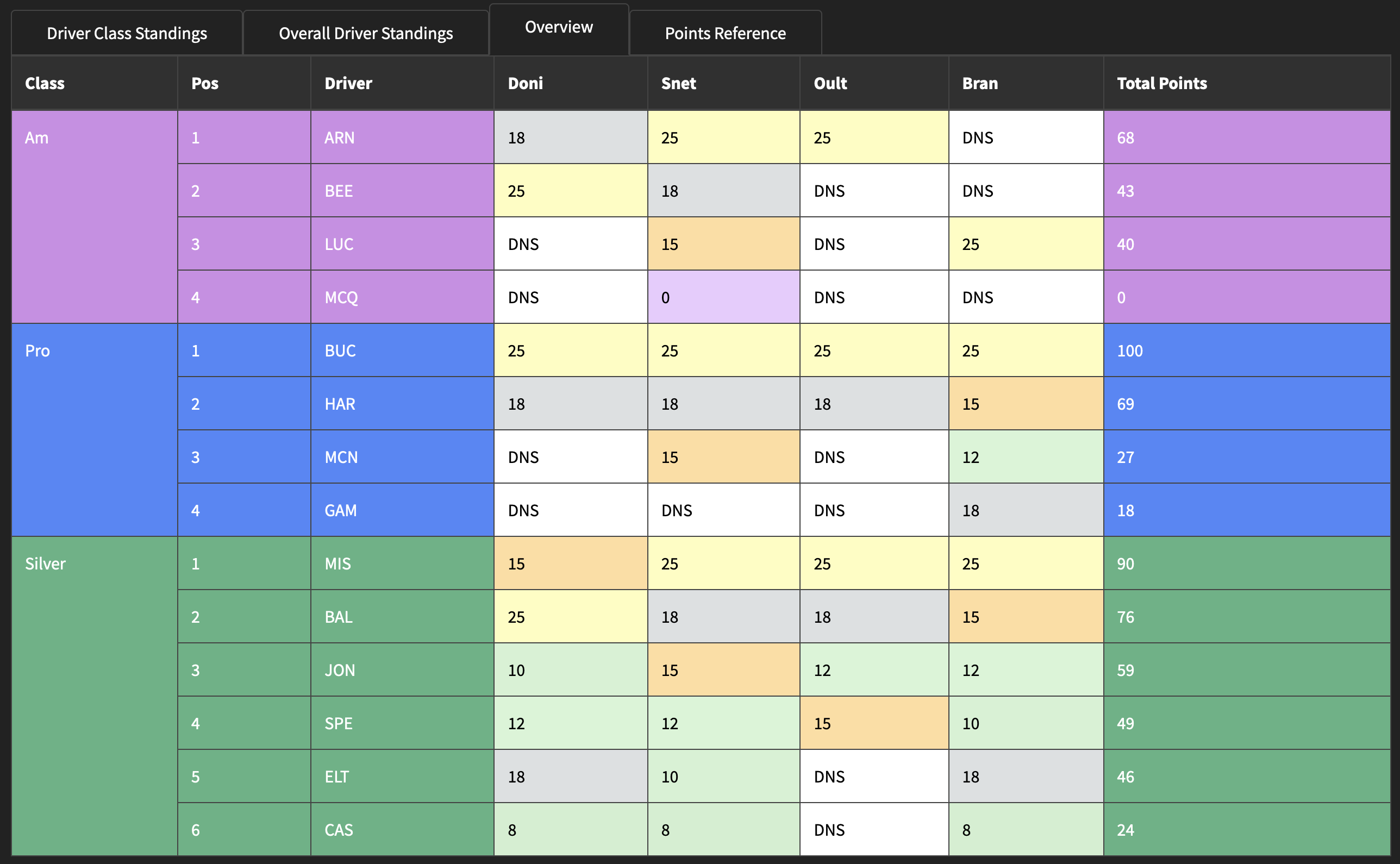
The Championship overview shows a breakdown of points aquired by drivers at the different events in the Championship.
¶ Individual Event Results
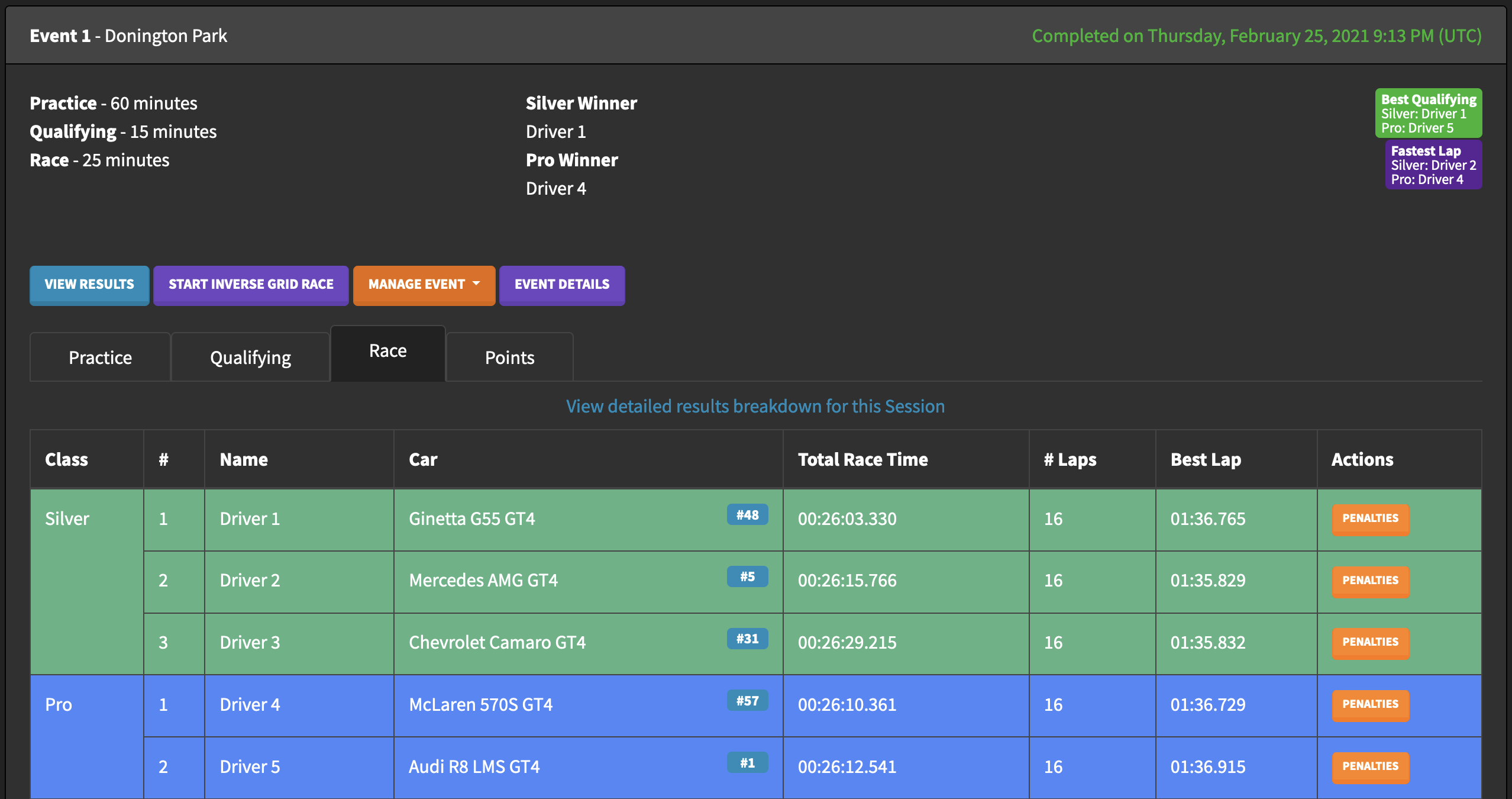
After being completed the results of each session of a Championship event can be seen, split by Class if Multi Class is enabled. You can use the "View detailed results breakdown for this Session" link to view the full results for the session.
The "Penalties" button can be used to apply time penalties to the drivers in each session, if a time penalty results in a change in finishing position then the Championship points will be updated to reflect the change.
¶ Inverse Grid Race
After an event has been completed a "Start Inverse Grid Race" button will appear, allowing you to start a new event with the same configuration as the completed Race session of the completed event, but with a reversed grid based on the finishing positions of that Race. This event will also have a short Practice session.
The event configuration is copied from the Championship Event when the Inverse Grid Race is started, so if you would like the Inverse Grid Race to have any changes (for example different weather) you can modify the main event before starting the Inverse Grid Race to make changes.